
Samsung releases dozens of smartphones each year under two closely related names, Galaxy A and Galaxy S, without the boundary between the two always being clear for the buyer. Both ranges share the same Android system, the same One UI overlay, and sometimes comparable screen sizes. What separates them comes down to choices of components, software frequency, and pricing positioning, the effects of which are measurable in daily use.
Processor and raw performance: what the price really pays for
The most significant difference between a Galaxy A and a Galaxy S lies in the processor. The Galaxy S models feature the latest chips from Qualcomm or Samsung’s own high-end Exynos, designed for intensive multitasking, 3D gaming, and AI photo processing.
The Galaxy A models use mid-range processors, sometimes with a one or two-year technological lag compared to the S. In practice, web browsing, messaging, and social media remain smooth on a recent Galaxy A. The gap becomes apparent in heavy tasks: video rendering, demanding games, processing multiple images.
A comparison of the differences between Samsung Galaxy A and S highlights this gap in raw power, but also the fact that a buyer whose usage is limited to common applications may not necessarily perceive the difference in daily life.
AMOLED screen and photo quality: similar specifications, different results
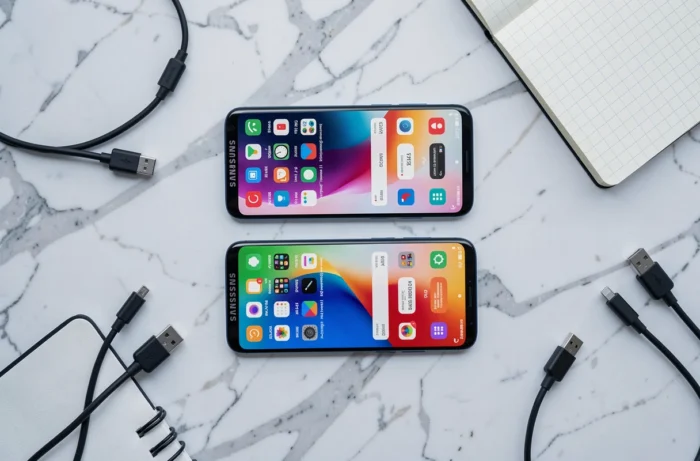
Samsung now equips most of its Galaxy A models with Super AMOLED screens, a technology once reserved for the S. The FHD+ resolution is common to both ranges on the most recent models. The difference lies in the refresh rate (often capped at 90 Hz on the A, compared to 120 Hz on the S) and the maximum brightness, which significantly favors the S in direct sunlight.
In terms of photography, the gap remains significant. The Galaxy S integrates larger sensors, more advanced software processing thanks to the superior processor, and features like high-resolution optical zoom. The Galaxy A offers decent photo modules for everyday use, but the results in low light or digital zoom quickly show their limitations.
Durability and finishes: materials that don’t play in the same league
The Galaxy S typically uses reinforced glass on both sides and an aluminum or titanium chassis depending on the model. The Galaxy A often combines a plastic back and a less rigid frame. Water resistance is certified IP68 on the S, while the A sometimes limits itself to IP67 or lower protection, or even no certification on entry-level models.
Android updates: a reduced but not erased gap
One of the most notable recent changes concerns the software update policy. Samsung now guarantees 7 generations of Android and 7 years of security patches on its Galaxy S starting from the S24 series.
Recent Galaxy A models (A16, A26, A36, A56) benefit from 6 generations of Android and 6 years of patches. The gap has thus reduced to about one additional year of support in favor of the S, whereas older ranges displayed a much wider gap.
However, one rarely mentioned point deserves attention: the frequency of patch deployment differs. Recent Galaxy S models receive monthly security updates, while most Galaxy A are classified for quarterly updates. Over time, this means that a Galaxy A may remain exposed to a known vulnerability for several more weeks than a Galaxy S.
- Galaxy S (from S24): 7 years of Android updates, monthly patches
- Recent Galaxy A (A16, A26, A36, A56): 6 years of Android updates, quarterly patches
- Older Galaxy A: significantly shorter support duration, sometimes limited to 2 or 3 years

Battery and autonomy: real advantage or just marketing numbers
Samsung equips several Galaxy A with a 5,000 mAh battery, identical to that of many Galaxy S. On paper, the autonomy seems equivalent. In practice, the more efficient processor of the Galaxy S consumes less energy at equal load, resulting in better performance by the end of the day during intensive use.
The charging speed is another point of divergence. The Galaxy S supports higher wired and wireless charging powers. On a Galaxy A, wireless charging is often absent, and wired charging is capped at lower levels.
Galaxy A or Galaxy S: the criteria that tip the choice
Price remains the determining factor. A Galaxy A generally costs two to three times less than a Galaxy S from the same year. For a buyer whose usage focuses on communication, social media, and browsing, a recent Galaxy A offers a value for money that is hard to beat.
The Galaxy S is justified for users demanding in photography, gaming performance, or close software support. The monthly frequency of security patches and the power of the processor create a measurable comfort of use over several years.
- Common use (messaging, social media, streaming video): a recent Galaxy A is more than sufficient
- Photography in challenging conditions, mobile gaming, intensive multitasking: the Galaxy S provides a tangible difference
- Maximum software longevity and quick patches: advantage Galaxy S, but the gap with the A is narrowing
The choice between Galaxy A and Galaxy S depends less on the brand than on the relationship between the available budget and the actual intensity of use. A latest-generation Galaxy A ages better than a Galaxy S from three years ago, which puts the hierarchy between the two ranges into perspective for anyone who regularly renews their smartphone.